
Cut through the noise. Structure your thoughts. Get more done.
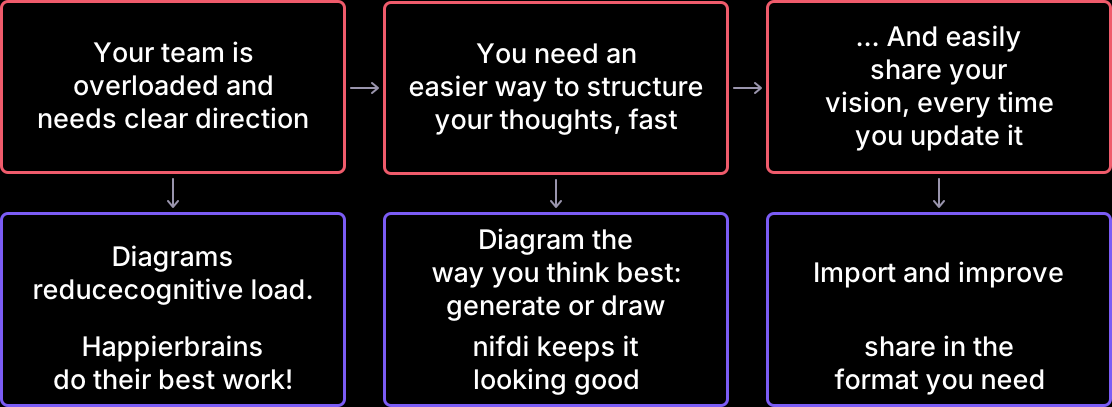
Diagram like you think
However and wherever you do your best work, nifdi helps you make better diagrams. nifdi's self-organising model handles the layout and structure for you, so you can focus on thinking

Collaborate with your agent
Give your LLM agent diagramming superpowers with nifdi MCP: fully editable diagrams with less prompting. Make changes yourself in the canvas, or ask your agent. Either way, you're in control of the output.
Generate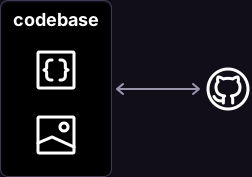
Check-in and sync with your code
Check in diagrams alongside your code and display in your docs. Use an agent to keep diagrams and docs in sync.
Sync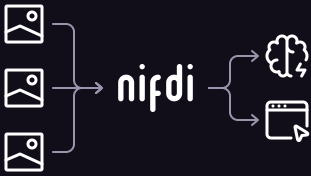
Start with existing diagrams
Save time, and make the most of your work: nifdi can interpret the structure of your existing diagrams. Once in the nifdi model, it's easy to improve the layout and bring your old diagrams up-to-date.
Import
Draw a new diagram
Drawing, but not as you know it. Start adding objects, icons and text, then push, collide and stretch them, just like objects IRL. nifdi's self-organising model helps you create diagrams that look great, effortlessly.
DrawFAQ
What is nifdi?
nifdi is software for making diagrams.
nifdi is particularly good for software architecture diagrams, process flow diagrams, infrastructure maps, and anything else that has lots of structure and connections.
Why use nifdi instead of other diagramming tools?
nifdi uses a physical editing model: everything in your diagram behaves like a physical object that can be stacked, pushed and stretched. The model is easier, faster, and more fun than anything else you might have used.
What's more, the model is perfect for working with AI. Ask you AI to generate and edit, without giving up fine-grained control.
How do I get started using nifdi?
Just sign up with email, and you're good to go.
Is nifdi free to use?
Yes, nifdi's free tier makes unlimited powerful diagrams available to everyone. Check our Pricing page for the full feature list.
Do you have plugins / extensions / APIs?
Yes — the local MCP server is free and lets your AI agent create and edit diagrams locally on your machine. A hosted MCP and HTTP API for cloud diagrams are coming to Pro, so your agents can reach your diagrams from anywhere.